One thing that is great about Ubuntu is the software repos. They make installation of applications easy, and keep them running pretty well up to date.
BUT
Sometimes the software in the repos isn't what you want or need. For example, Ubuntu 10.4 doesn't have the most recent version of WINE. It may be the most recent version that you should expect to run reliably, but it won't run the current version of Steam, for example.
So how do you get a more recent version?
add this to your software sources (system, administration, software sources. Select the other software tab)
ppa:ubuntu-wine/ppa
Close the Software Sources window, and this will force a reload of the sources. You can then install WINE via synaptic, and you should be good to go for Steam installation.
Either Set WINE to function as Windows 7 as the default, or specify that Steam will run as Windows 7, and you should be all set.
Showing posts with label wine. Show all posts
Showing posts with label wine. Show all posts
Friday, August 06, 2010


Thursday, June 21, 2007
StarCraft
Unless you live under a rock, you have probably already heard about StarCraft II. Which was recently announced by Blizzard. Of course, this got me nostalgic for the original, which of course gave me a good excuse to see if I could get it working on my Ubuntu with wine.
So, here were the steps:
Insert original windows StarCraft CD.
Open terminal type, winefile, and then browse to CD, and run setup.exe look at that - the setup screen - SHOCKING! then complete setup, choosing your favorite location to install.
Now, under the applications menu, wine, programs, StarCraft, and "it just works"!
 Well, not in a window, I just ran it in a window for this screen shot - it works in full screen normally.
Uhhh, and "it just works" except for the sound, which sort of stutters.
But I was able to fix that by launching the wine configuration utility (terminal: winecfg):
 Then changing the audio settings direct sound hardware acceleration from full, to emulation.
Now it runs just fantastically. GO WINE!
So, here were the steps:
Insert original windows StarCraft CD.
Open terminal type, winefile, and then browse to CD, and run setup.exe
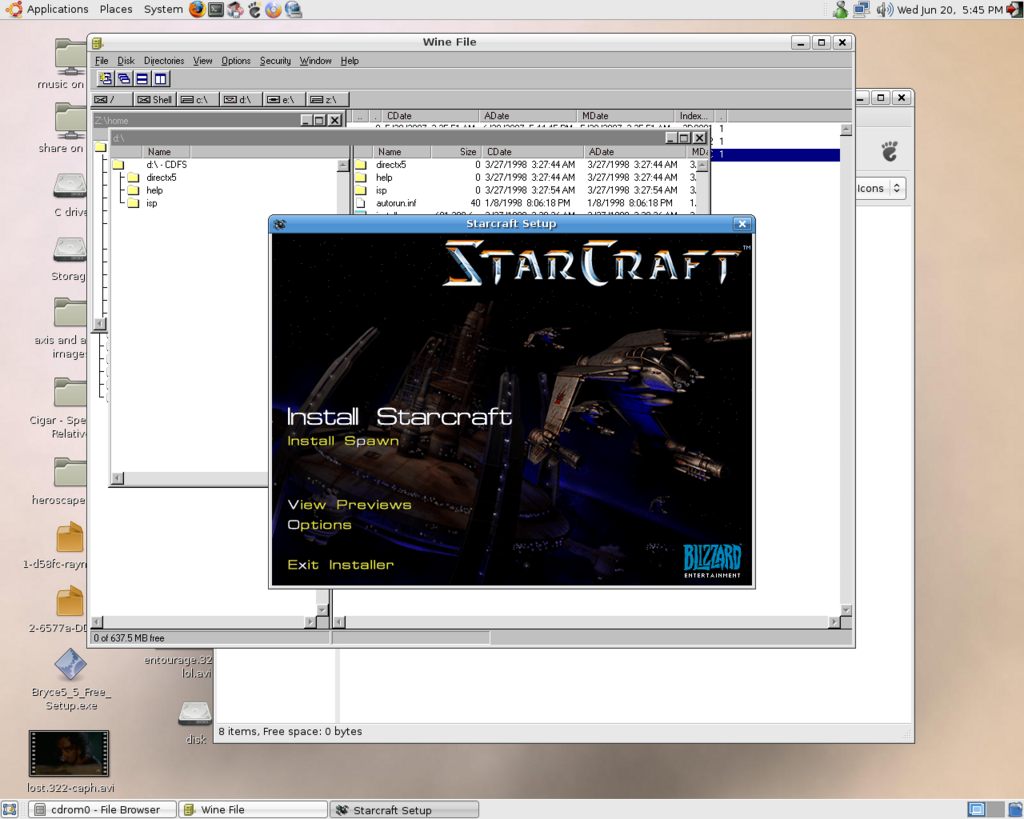 look at that - the setup screen - SHOCKING! then complete setup, choosing your favorite location to install.
Now, under the applications menu, wine, programs, StarCraft, and "it just works"!
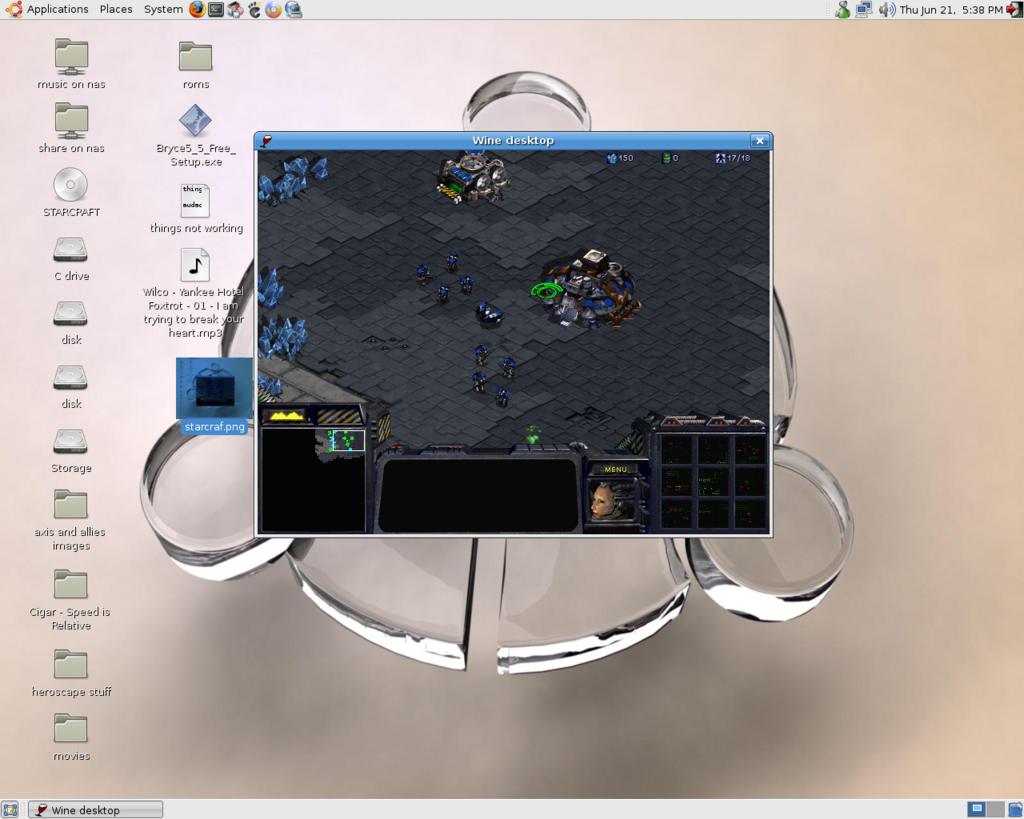 Well, not in a window, I just ran it in a window for this screen shot - it works in full screen normally.
Uhhh, and "it just works" except for the sound, which sort of stutters.
But I was able to fix that by launching the wine configuration utility (terminal: winecfg):
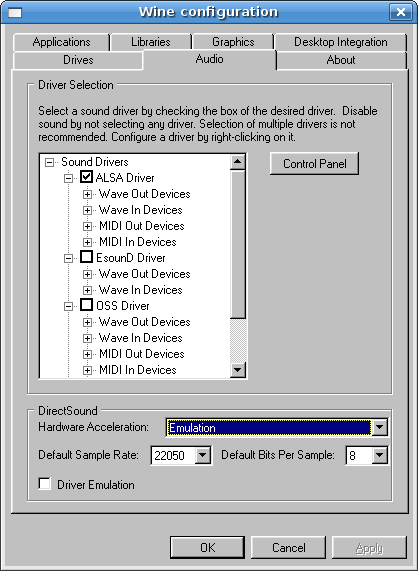 Then changing the audio settings direct sound hardware acceleration from full, to emulation.
Now it runs just fantastically. GO WINE!
Subscribe to:
Posts (Atom)